GB WhatsApp Privacy Features You Should Know in 2026
Privacy is one of the main reasons people switch to GB WhatsApp. While the official app offers a basic set of privacy controls, the modded client takes things much further with dozens of advanced options that let you decide exactly who sees what. The 2026 release builds on that tradition with smarter tools, better default settings, and a redesigned privacy menu. This guide from gbfmapps.net explains every important privacy feature in detail so you can take full control of your messaging experience.
Why Privacy Tools Matter in Messaging
Modern messaging apps carry a lot of personal information. From chat logs to status updates, every interaction leaves a trail. GB WhatsApp gives you the ability to manage that trail carefully, allowing you to communicate on your own terms without giving up features you actually need.
The 2026 update organizes the privacy menu into clear categories so even beginners can find the right settings quickly. Each option is labeled clearly, and the most popular ones are pinned to the top for fast access.
Core Privacy Features in GB WhatsApp
The table below summarizes the most important privacy tools available in the latest release.
| Privacy Feature | What It Does |
|---|---|
| Hide Blue Ticks | Prevent contacts from knowing when you read their messages |
| Hide Second Tick | Stop showing the message delivered indicator |
| Hide Last Seen | Freeze your online timestamp or hide it from specific contacts |
| Hide Typing Indicator | Stay invisible while typing in real time |
| Hide Recording Indicator | Avoid showing the voice recording animation |
| View Status Secretly | Watch statuses without alerting the contact |
| Anti Revoke | Read messages that have been deleted by the sender |
| Status Download | Save any status with a single tap |
| Selective Contact Privacy | Apply different rules to different people |
| Chat Lock | Lock individual conversations with a PIN or fingerprint |
Hide Blue Ticks in Detail
Blue ticks are the most recognized read receipt in messaging. GB WhatsApp allows you to disable them entirely or to hide them only for specific contacts. If you want, you can also turn them back on temporarily to read a message and then switch them off again before replying.
Hide Last Seen Explained
The official app only allows you to show your last seen to everyone or to nobody. GB WhatsApp lets you hide your last seen from selected contacts while still seeing theirs. You can also freeze your last seen so it stays at a fixed timestamp no matter when you actually came online.
View Status Secretly
Status updates are a common way to share quick updates. With GB WhatsApp, you can view any status without the contact being notified. The same option is not available in the official app, where viewing a status automatically sends a view receipt.
Anti-Revoke and Deleted Messages
The anti-revoke feature is one of the most popular tools in GB WhatsApp. It allows you to read messages that the sender has deleted after sending them.
How Anti-Revoke Works
When a contact deletes a message for everyone, the official app removes it from your screen. GB WhatsApp keeps a local copy of the message and displays it inside the chat with a small tag showing that it was originally deleted. This feature works for text, images, and voice notes.
Where to Find Deleted Messages
All recovered messages are stored inside the same chat thread. You can also open the Recycle Bin section of the app to see every deleted message in one place.
Selective Contact Privacy
Not every contact should have the same level of access to your information. Selective privacy lets you customize rules for each person on your contact list.
Creating Custom Rules
- Open the Privacy menu and choose Selective Contact Privacy
- Pick a contact from your list
- Decide whether they can see your last seen, blue ticks, profile photo, and status
- Save the rule to apply it immediately
Useful Scenarios for Selective Privacy
Selective privacy is helpful for separating work contacts from family, hiding status updates from certain groups, or staying invisible to specific people without affecting your broader visibility.
Chat Lock and Hidden Chats
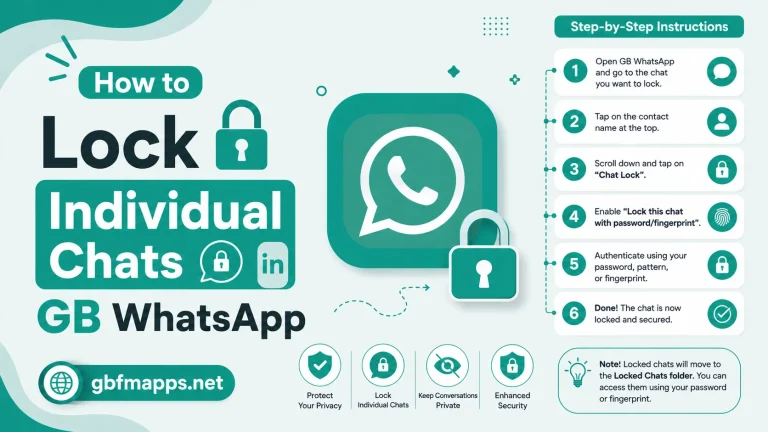
The chat lock feature lets you protect individual conversations with a PIN, pattern, or fingerprint. You can also hide the locked chats from the main chat list for an extra layer of privacy.
Setting Up a Locked Chat
- Long press on the chat you want to lock
- Choose Lock Chat from the menu
- Set your preferred authentication method
- Confirm to enable the lock
Hidden Chat Mode
If you want even more privacy, you can move locked chats to a hidden folder. The folder is protected by your master PIN and does not appear in the regular chat list.
Status Privacy Tools
Statuses are one of the most public parts of any messaging app. GB WhatsApp gives you precise control over who sees your updates and lets you view others without being detected.
Custom Status Privacy
- Open Settings then Privacy then Status
- Choose between My Contacts, My Contacts Except, or Only Share With
- Select the contacts who should see your status
Status Anti-Delete
Just like messages, status updates that are deleted can sometimes be recovered. The status anti-delete tool keeps a local copy of statuses that have been removed.
Typing and Recording Indicators
GB WhatsApp allows you to hide the typing and recording animations that normally appear in chats.
Why Hide Typing Indicator
Sometimes you want to draft a message carefully before sending it. Hiding the typing animation lets you take your time without alerting the other person.
Voice Recording Privacy
The recording indicator appears whenever you record a voice note. Hiding it adds a small but useful layer of discretion for users who prefer to record messages without making it obvious.
Privacy Comparison With the Official App
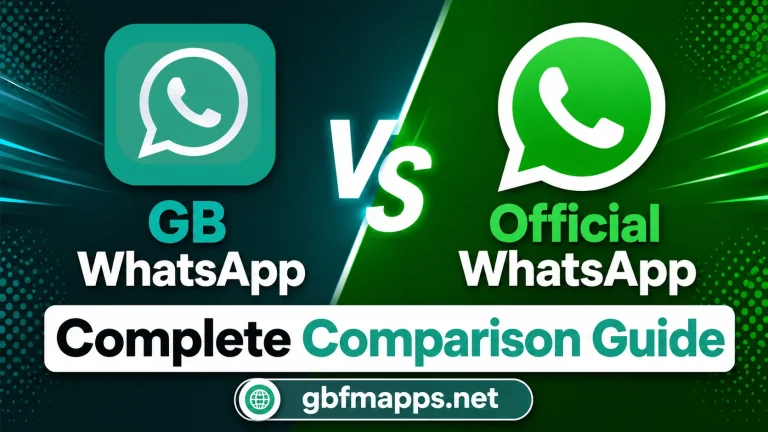
| Privacy Feature | GB WhatsApp | Official WhatsApp |
|---|---|---|
| Hide Blue Ticks | Yes, with reply mode | No |
| Freeze Last Seen | Yes | No |
| View Status Secretly | Yes | No |
| Anti Revoke | Yes | No |
| Hidden Chats | Yes | Limited |
| Selective Privacy | Yes, granular | Basic options only |
| Status Anti-Delete | Yes | No |
Tips for Maximizing Your Privacy
- Combine multiple privacy tools for stronger protection
- Review your privacy settings every month to ensure they still match your preferences
- Avoid sharing sensitive information through any messaging app, even with privacy features enabled
- Keep the app updated through gbfmapps.net to receive the latest security patches
- Use the built-in app lock to protect the entire messenger from unauthorized access
Frequently Asked Questions
Can contacts tell if I am hiding my blue ticks?
No, the contact simply sees the message as unread. GB WhatsApp handles this silently so there is no visible indicator that you are using the hide feature.
Does freeze last seen affect message delivery?
No, freezing your last seen only changes what others see. Your messages are still delivered normally and you can still read incoming messages.
Can I recover deleted photos using anti-revoke?
Yes, GB WhatsApp stores copies of deleted images, voice notes, and videos. You can find them inside the chat or in the Recycle Bin section.
Is it possible to lock GB WhatsApp with my fingerprint?
Yes, the app supports fingerprint, PIN, and pattern locks. You can set up the lock from the Privacy and Security menu.
Will privacy features affect notifications?
Some advanced settings can hide message previews in notifications. You can adjust this behavior separately in the Notifications menu.
Privacy Best Practices Beyond the App
Even the best in-app privacy tools cannot protect you from careless habits outside the messenger. The tips below extend your privacy protection beyond GB WhatsApp itself.
Lock Your Phone Properly
Use a strong PIN, pattern, or biometric lock on your device. Even if someone accesses your phone, this provides the first line of defense.
Be Careful With Public Charging
Avoid charging your phone from unknown USB ports. Some public charging stations can be used to extract data from unlocked devices.
Review App Permissions Regularly
Periodically review which apps on your phone have access to contacts, storage, and microphone. Remove permissions that are no longer needed.
Avoid Public Wi-Fi for Sensitive Chats
Public Wi-Fi networks can be intercepted. Use a VPN when chatting on sensitive topics while connected to public hotspots.
Limit What You Share
No privacy tool is a substitute for good judgment. Think twice before sharing personal information, financial details, or confidential work documents through any messaging app.
Staying Updated on Privacy Changes
Privacy tools evolve constantly. To stay informed, visit gbfmapps.net regularly for articles, guides, and changelogs that explain new privacy features as they are released.
Following Community Discussions
Active community forums discuss privacy issues, share tips, and report bugs. Joining these discussions helps you stay ahead of new threats and discover hidden features that may not be obvious from the settings menu alone.
Conclusion
Privacy is at the heart of what makes GBWhatsApp so popular, and the 2026 release delivers more tools than ever before. From hiding blue ticks to recovering deleted messages, every feature is designed to give you full control over your communication. Download the latest build from gbfmapps.net, explore the privacy menu, and customize your settings so your messenger works exactly the way you want.